How Swift's String Catalog Transforms Text Management

Introduction
At the 2023 WWDC event, Apple introduced the String Catalog feature as part of the Swift programming language updates. Before String Catalog, developers commonly used the Localizable.strings file to manage application texts and translations.
In our My Ford Trucks application, we support a total of 23 different languages, each requiring a separate Localizable.strings file. That approach increased both the complexity of language management and the overall project size. With the String Catalog, we overcame this challenge.
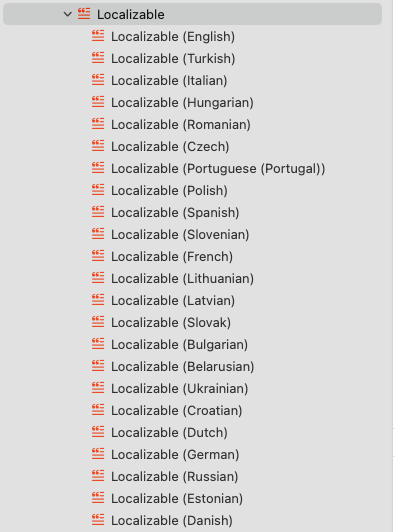
Transitioning from Localizable.strings to String Catalog
In this section, we illustrate how to transition from Localizable.strings to String Catalog. With the help of a visual example, you will see how translations can be simplified and centralized using this new feature.
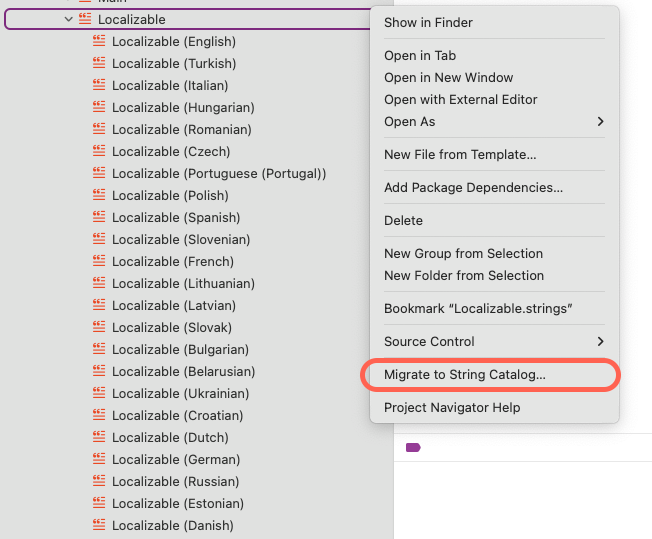
Thanks to Apple’s advancements in Xcode, the Migrate to String Catalog button, introduced in Xcode 15, makes this process seamless and efficient, enabling the entire migration with a single click.
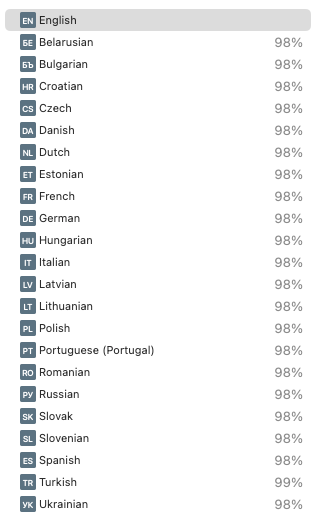
Enabling “Use compiler to extract Swift strings = Yes” allows Xcode to automatically detect and extract all string literals used in your Swift code.

String States in String Catalog
In the String Catalog, strings go through various states that help developers track their status during translation and management. This makes it easy to handle missing or changed translations, keeping content up-to-date and consistent across languages.
- Stale — the string is no longer in use in the code.
- New — a recently added entry that requires translation.
- Needs Review — translated, but it requires review.
- Green checkmark — successfully translated.

Conclusion
By transitioning to the String Catalog, we made text management easier and our multilingual applications more scalable. Features like automated string extraction and state tracking save time and effort, letting developers focus on building the app while keeping translations consistent across all supported languages.
Bonus: Why You Should Use String Catalog with SwiftUI
If you’re using SwiftUI, the String Catalog is essential. When you add a string in a Text view, it is automatically translated based on your app’s language settings.

struct ContentView: View {
    var body: some View {
        VStack {
            Text("hello")
        }
        .padding()
    }
}
This feature makes translation easier and ensures your content is ready for different languages without extra work.